


Microsoft released the October Update (version 1809) for Windows 10 last Tuesday, October 2. Since then, a few complaints have been posted about data loss after the update and Microsoft has paused the rollout process1. Most regular users will not have this update unless they went out of their way to install it. Microsoft has now announced that the issue has been fixed and a new rollout of the update will be coming soon.
Accidental deletion is a common problem and you need to be aware of a few things:
- Windows handles deleted data by removing a pointer to it, so the data is not completely wiped from the drive.
- There are multiple free data recovery options available that should be able to recover accidentally deleted files with minimal effort.
- There are precautions that need to be taken once data has been accidentally deleted to ensure that you do not interfere with the recovery process.
First, Windows stores data by using references that point to the file. Once that reference is gone (happens when you delete a file), Windows no longer recognizes the file as present on the volume. The file is still on the drive, but that location can now be overwritten by any new files stored on the drive. Once it has been overwritten, it becomes much more difficult to retrieve any data that was stored at that location.
This brings up the following point: you need to be careful about taking any action that would create new files on a disk after you have accidentally deleted files. Any new files could overwrite the space occupied by the data you accidentally deleted and make it more difficult to recover. Avoid downloading anything from the internet, installing any new applications, or saving new files to the drive. You can always bring the system to us at this point and we will recover your data for a fee (see Data Recovery Service).
If you have some experience with computer hardware, you can pull the drive out of the computer and connect it to another computer. Once on the other computer, download and install one of the free programs listed below to the other computers’ hard drive. Then you can run a scan on the drive you connected and get the files you lost.
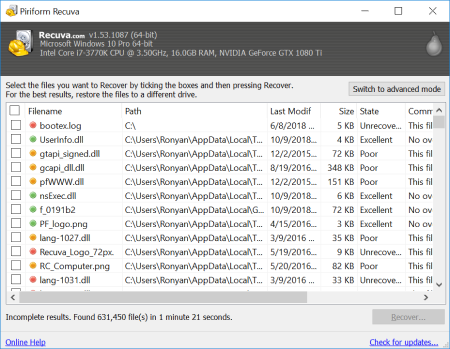
Recuva is one of the most popular data recovery programs. It has an easy-to-use interface and ability to scan for specific contents or filenames. Options are customizable.
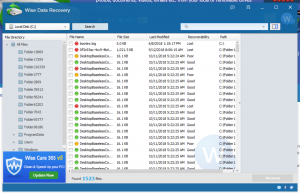
Wise Data Recovery comes in a small sized installer (~2.2MB), this program has an intuitive and easy to use interface. Just select the drive you want to scan and click ‘Search’. Some support and guides available on their website. Simple, but has limited options.
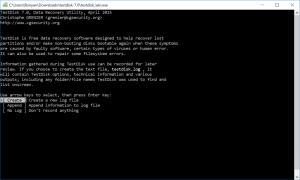
TestDisk is a more advanced open-source command-line utility that’s suitable for more advanced users. It has a wide array of features and it works on most platforms and operating systems.
Sources:
1. https://support.microsoft.com/en-au/help/4464619/windows-10-update-history. Windows 10 October Update Support Page.
